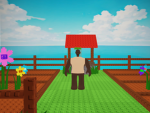
GIANT PINECONES #872064644
Game studiosENavatar customizationDIY tutorialscostume ideas
Description
Steps to making giant PINECONE avatar: 1. Go to skins and become a dark shade of brown. (DONT HAVE ANY ACCESSORIES OR ITEMS) 2. After go to advanced after and make torso a light shade of tan, look at the owner or champions skin for which exact ones you should choose. 3. All done! You can add any accessories you’d like after completing, but it can’t cover the whole entire face or body. ENJOY! You can also make your head any kind of head but make sure the body blew head is all Roblox BOY avatar which is free.
Written by the group; not a statement by this register.
Membership history
Growth
Growth history is still building. We hold one measurement for this entry. A trend needs at least two, taken days apart — so this will fill in on its own rather than being estimated. We do not publish numbers we have not measured.
| Measured (UTC) | Members | Change |
|---|---|---|
| 11 Sept 2026, 14:14 | 25 | first reading |
Ownership
Owned by Sourpickles (@gabrieljames2014) as measured.
Groups seen changing owner — the largest ever handed over and the most recent — are on the ownership transfers board.
Members we’ve seen
Sourpickles (@gabrieljames2014) — PINECONE EMPEROR (rank 255)
A sample — only members this register has independently measured, highest rank first. Not the full roster.
Rank structure
Roles and per-rank member counts as Roblox reports them (rank 0 = guest … 255 = owner).
Related groups
Groups whose measured members overlap with this one — a sample from our membership graph.
Open data
Download this group’s measured record — free to reuse with attribution: membership history (CSV) · full record (JSON)
Each file carries its licence and retrieval time inside it, and is generated from the same measurements shown above.